First Time
Manual Framework Integration (First Time)
This document explains how to integrate the iOS SDK manually using frameworks for the first time, without using Swift Package Manager.
Prerequisites
- SDK package containing required
.xcframeworkfiles - Access to the application target settings in Xcode
Steps to Integrate the SDK
-
Add SDK frameworks
- Add all provided Nuclei
.xcframeworkfiles to the App Target. - Set all frameworks to Embed & Sign.
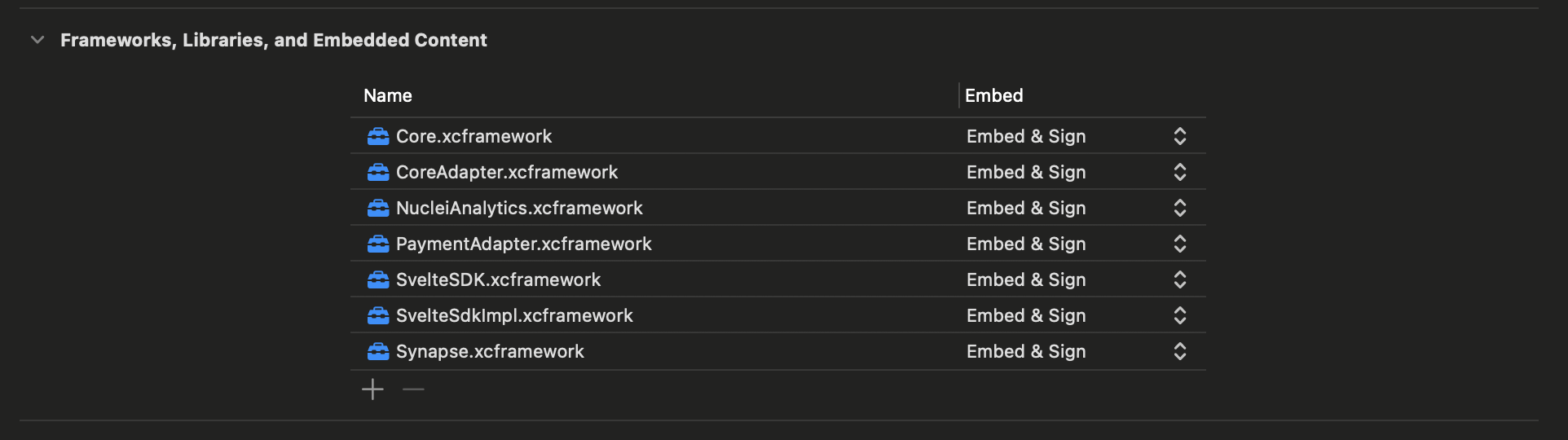
- Add all provided Nuclei
-
Clean the build
- Select Product → Clean Build Folder in Xcode, or use
Shift + Cmd + K.
- Select Product → Clean Build Folder in Xcode, or use
-
Delete DerivedData
- Click Xcode → Settings from the top menu.
- Open the Locations tab.
- Click the arrow icon next to Derived Data to open it in Finder.
- Delete all contents inside the DerivedData folder.
-
Build the application
- Build and run the app.
- Verify that the build completes without errors.